What is Work-study?
Work-Study is a need-based form of Financial Aid that is earned through on or off-campus employment and received in the form of a paycheck. Students can check if they are eligible for work-study by checking their financial aid award letter. To view your financial aid award letter login to your My Aid Status Portal.
How Do I Qualify?
To qualify for a Work-Study award, the student must file a FAFSA or CA DREAM Act Application and have sufficient financial need. The Office of Financial Aid determines student Financial Aid eligibility and notifies them of their aid in a Financial Aid Award Letter, which may include a Work-Study award.
Students who submitted a CA DREAM ACT application and are eligible to receive Work-Study can activate this award only if they obtained a social security number after the U.S. Citizenship and Immigration Services (USCIS) granted them Deferred Action Status and received an Employment Authorization Card.
Additionally, all qualifying Work-Study recipients must maintain a minimum study load of 6 units each quarter.
For more information about the work-study program, visit the Office of Financial Aid and Scholarships Website.
Work-Study FAQs
For more information about work-study, visit the Office of Financial Aid and Scholarships Office.
If you are hired for an on-campus position, your employer will:
- Accept your Referral
- Prepare and submit employment paperwork to our office
- Provide you with a time sheet
- Provide you with a job description
- Work with you to create a work schedule
- Train and supervise you, evaluating your job performance.
If your on-campus employer does not request your work-study referral and you would like to participate in the work-study program, provide your work-study referral to your employer and have them connect with the UCSB Financial Aid Work-Study Coordinator.
If you are hired for an approved off-campus position, you must schedule an appointment with a Work-Study Program administrator. Once you have your referral packet completed by you and your employer schedule an appointment with the Work Study Unit at finaidwsp@sa.ucsb.edu. A Zoom meeting will be scheduled by the Work-Study Unit.
Please make sure to email the below items when scheduling your appointment:
- Completed Referral (no signatures required at this time);
- Completed Student Information Sheet;
- Completed Work-Study Program Student Employee Job Description;
- and Completed Statement of Academic Relevance (required only for For-Profit Agencies)
- Start dates for working under the Work-Study Program will be set for 1 week from the appointment date.
After the appointment is complete, the Work-Study Unit will initiate the DocuSign process for students and employers to sign referral packets. Students will need to setup an additional appointment to complete the I-9 verification process; instructions will be included during initial appointment with the Work-Study Unit.
A Letter of Clearance will be sent to your employer indicating your eligible start date under the Work-Study Program once the process is complete. A Letter of Clearance will not be generated until referral packets have been DocuSigned by both student and employer and student's I-9 verification is complete.
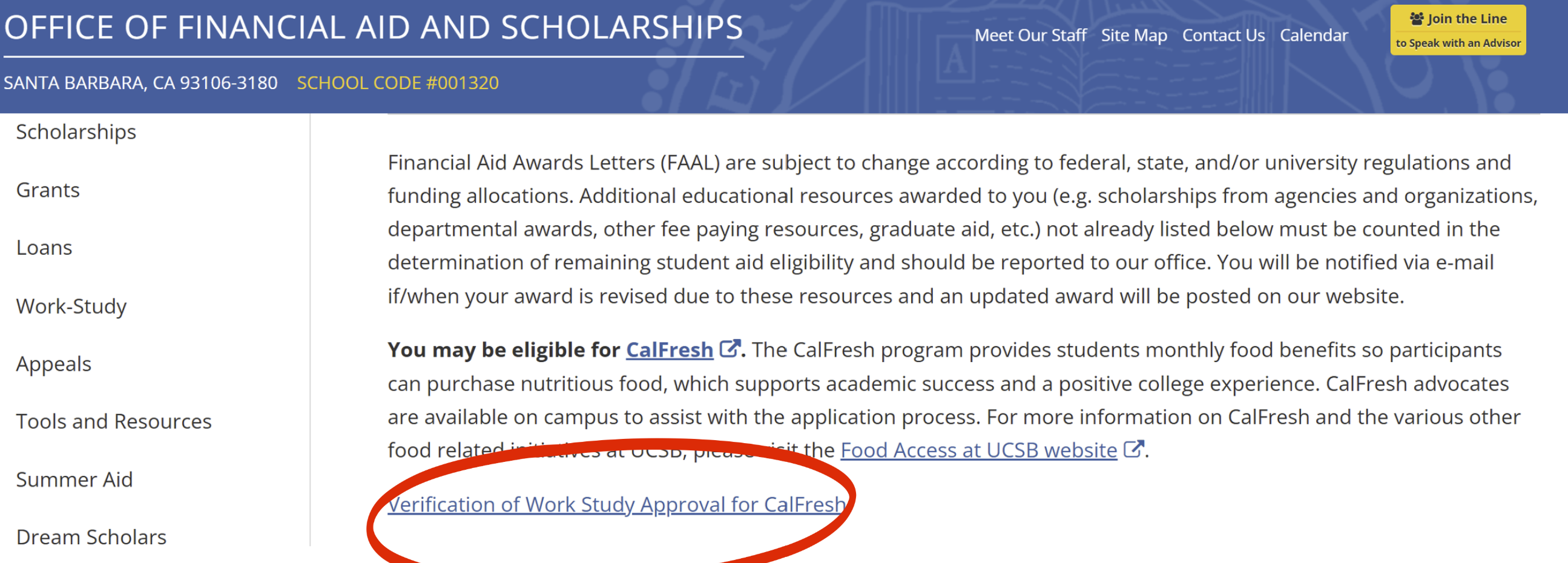
You will be able to find your work-study verification by logging into your My Aid Status portal on the UCSB Office of Financial Aid and Scholarships website. Click on the Award Letter tab and scroll down to the Financial Aid Award Letter paragraph. If you are eligible for work-study, you will also see information about Calfresh eligibility.
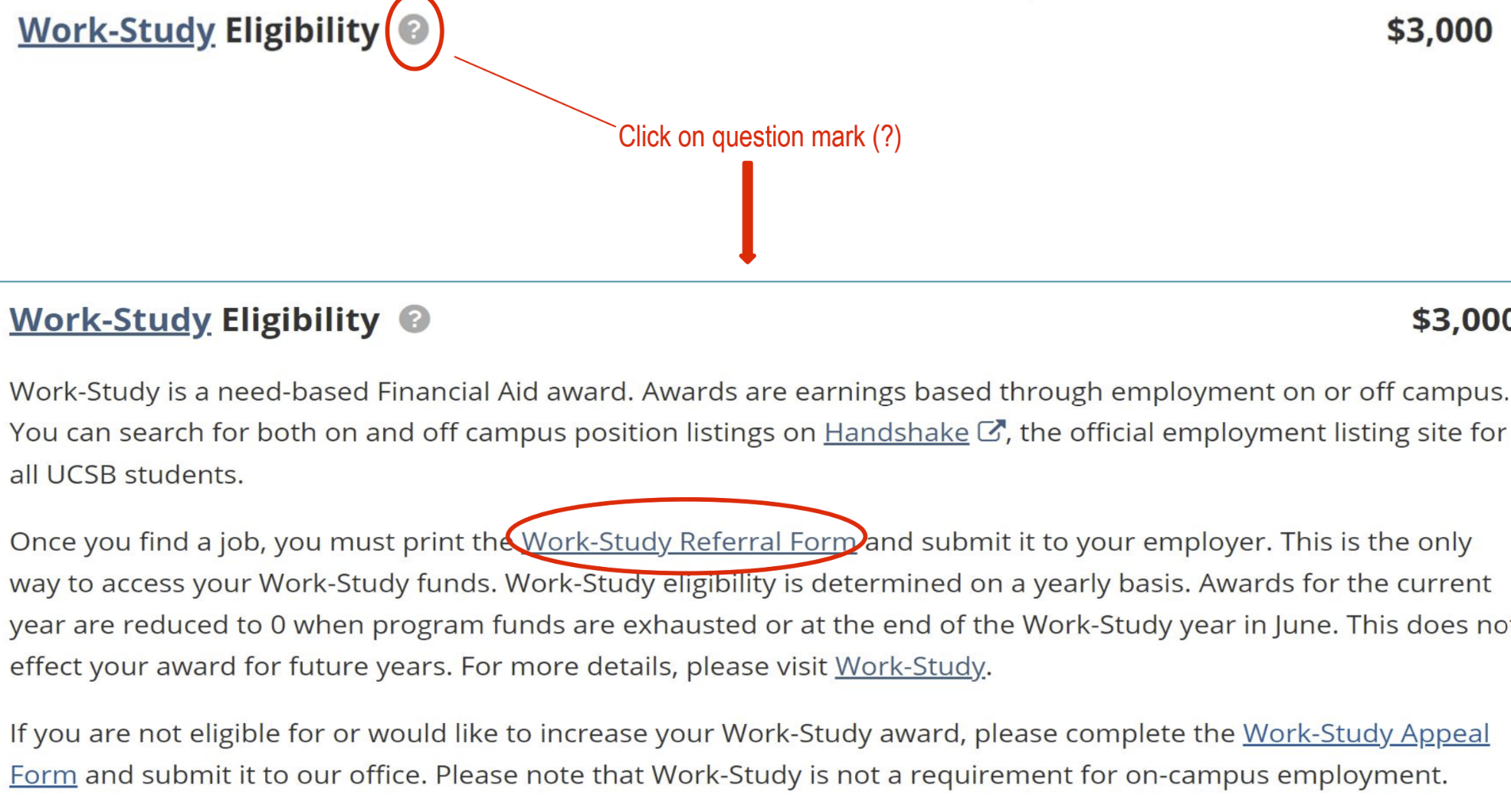
Your Work-Study Referral is the document that verifies you are a Work-Study recipient and authorizes your (prospective) employer(s) to pay you with Work-Study funds. You must present a Work-Study Program Referral to your employer(s) to utilize your Work-Study Eligibility.
Referrals are available 10 days before the first day of Fall quarter instruction and to those award recipients that have either paid or deferred their Fall-quarter fees.
You will be able to print your Referral from the Award Letter tab on My Aid Status. Click the question mark icon next to your Federal Work-Study or Professional Experience Opportunity eligibility to expand this section of your Award Letter and access the link to your referral.